Approval Processing Upgraded for Paperless Office Operations
As the saying goes, “A year’s plan starts in spring,” and with countless holiday documents and forms awaiting approval piling up, how can YouSpace improve approval efficiency for its users? To address this, YouSpace has optimized and launched seven new approval functions to further enhance user experience.
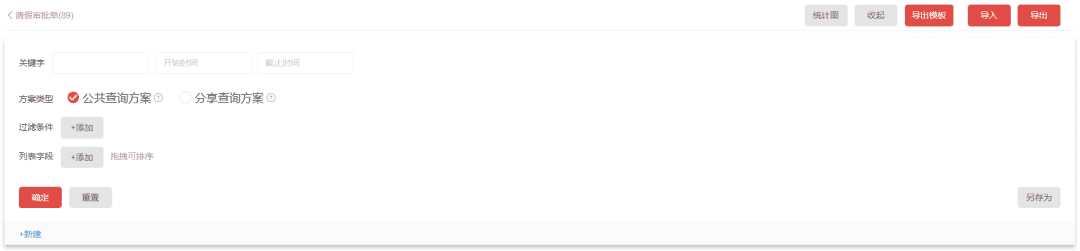
1.Customizable Queries, Data Source Entry Points
The new feature allows Space Administrators to assign query form permissions to regular users. Users can customize query keywords, select query time periods and scheme types, and add filter conditions and list fields. This user-specific permission provides a query entry point for approval data managers.
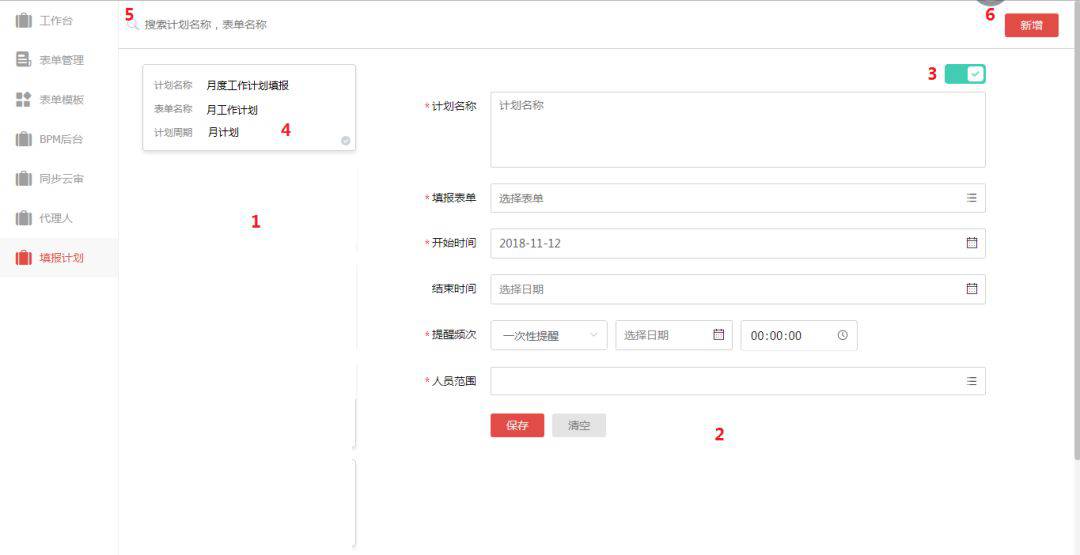
2.Scheduled form submissions and error-free reminders
For a specific form, you can select a time period to send submission reminders to designated personnel. Weekly reports and monthly plans are automatically reminded, making smart office work more convenient!
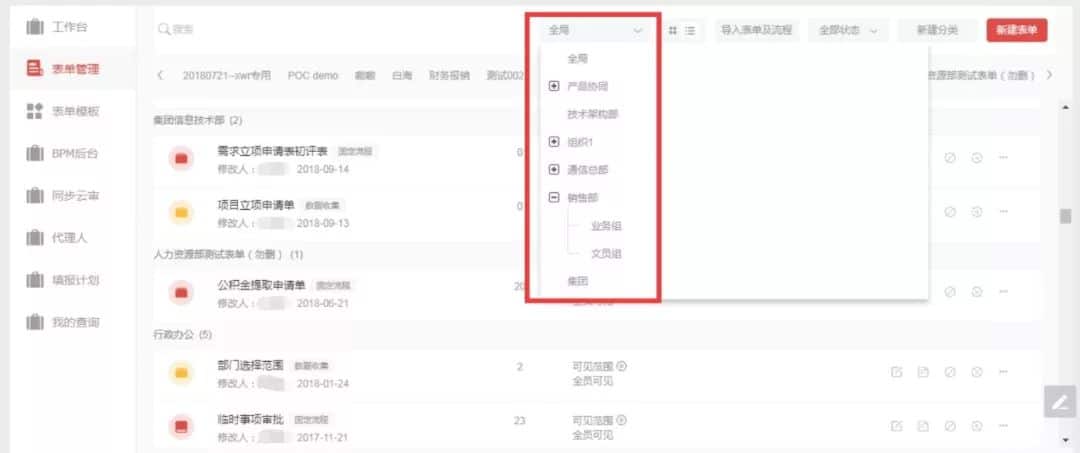
3.More granular management permissions and more organized form management
Space administrators can authorize new approval organization administrators. These administrators have the authority to manage all forms under their organization, enabling hierarchical control over approval forms across organizations. This more granular management and controllable viewing permissions ensure that even a large approval form system can be managed efficiently.
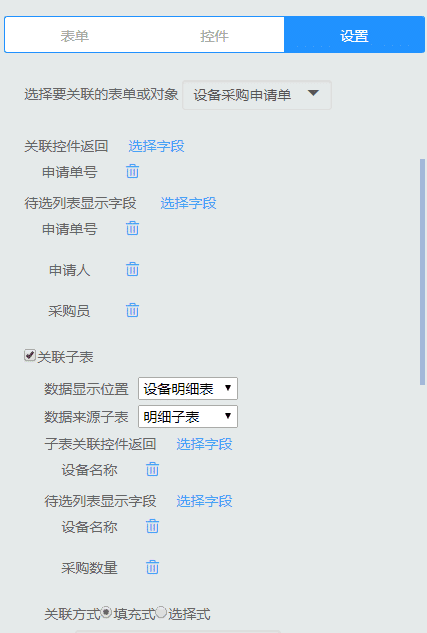
4.More comprehensive related fields, detailed sub-tables can be linked
Related fields can retrieve data from detailed sub-tables in other forms. This powerful linking function allows you to penetrate forms and retrieve all the data you need, eliminating the need to open historical forms to find data!
5.Rejections Can Be Revoked, and History Rewrites Do Not Overwrite
With a large volume of approval documents, errors are inevitable. If a document intended for approval is accidentally rejected, having to ask the submitter to resubmit it and go through multiple layers of approval can be embarrassing. The new approval feature allows for the revocation of rejections, eliminating both system and human errors.
If a form is rejected at the final stage of approval, all rejections and resubmission comments can be retained. By comparing the feedback history with previous comments, the accuracy of approvals can be improved.

6.Save Forms and Processes, Track Historical Data
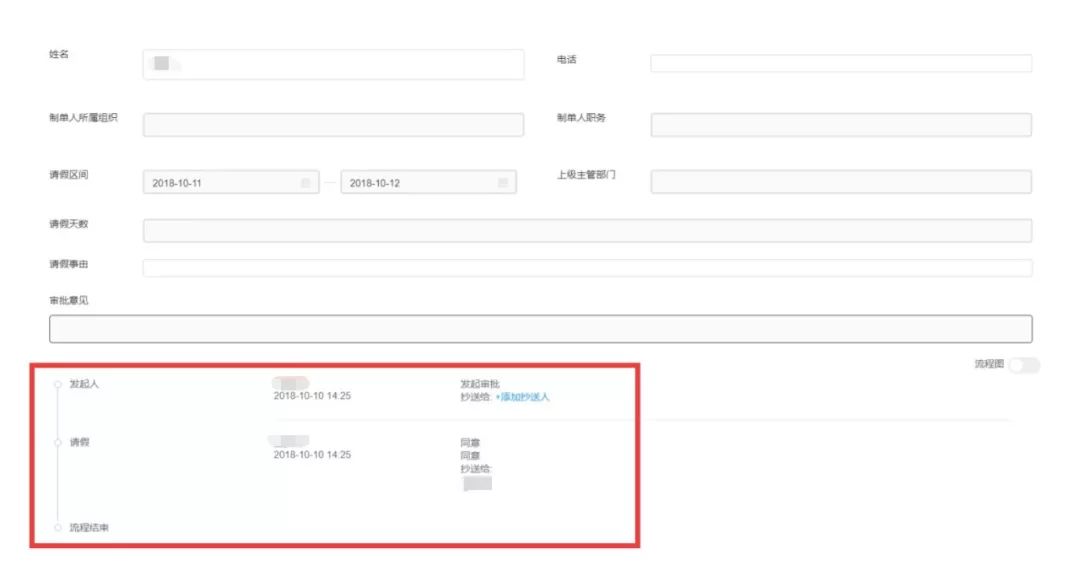
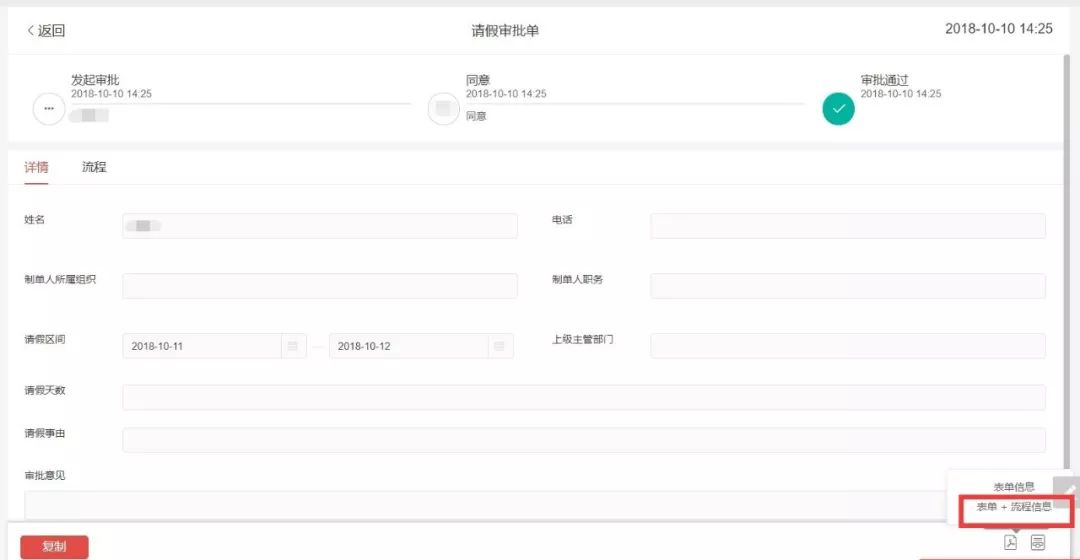
When saving forms as PDFs on the web, a new option includes a process flow. Forms and approval processes can be saved with a single click, historical form data can be recorded, and historical approval processes can be tracked!
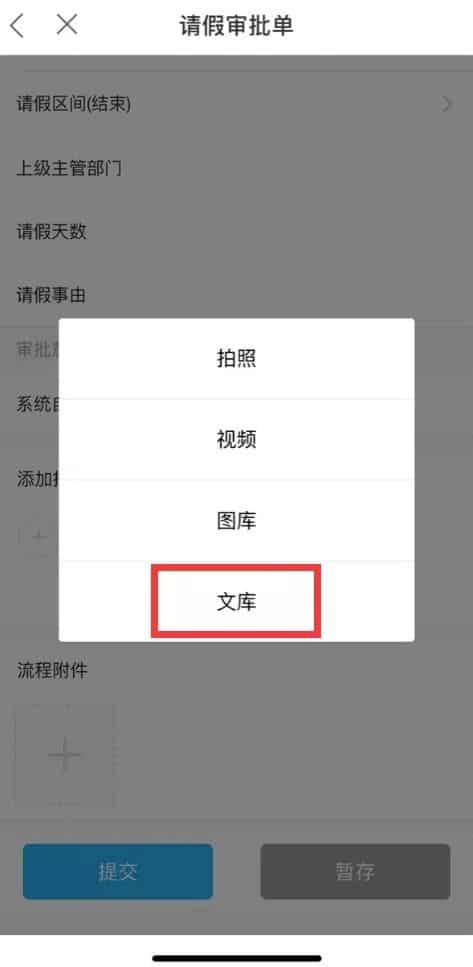
7.Upload Attachments from Document Library: A Boon for iOS Users
Mobile form attachments and process attachments can now be selected from the document library. No longer limited to Android phones, iOS users can also upload attachments freely!