Besides its web version and mobile app, YouSpace also has a powerful desktop version that’s perfect for office communication! Working from home is no problem!
1. Fast and convenient chat communication and file transfer.
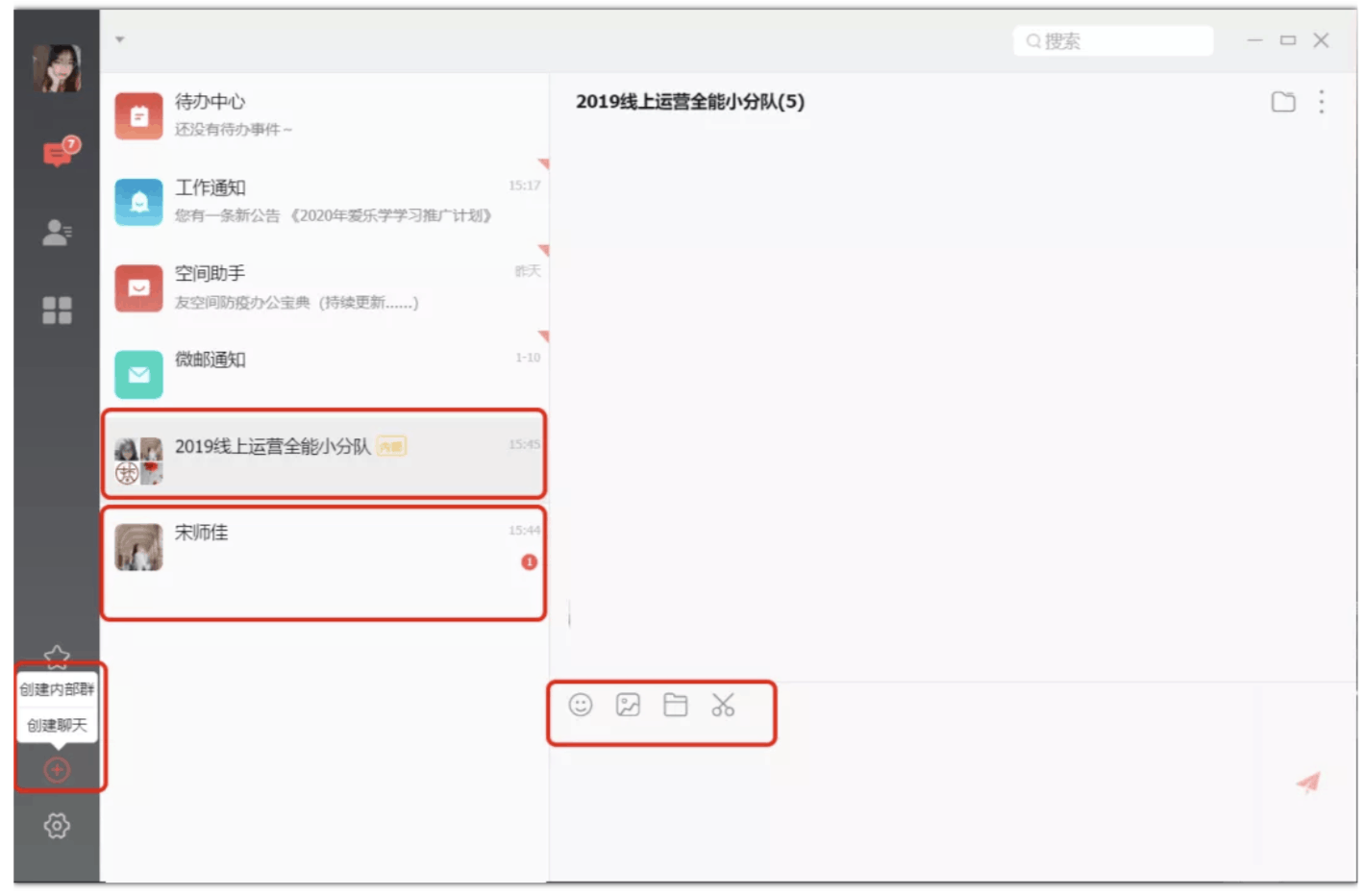
The desktop version supports quickly creating internal groups and chats (regular groups); one-on-one chat and group chat are combined, allowing users to send emoticons, images, and files, and take screenshots. Communication knows no distance; during the pandemic, you can still work remotely from home!
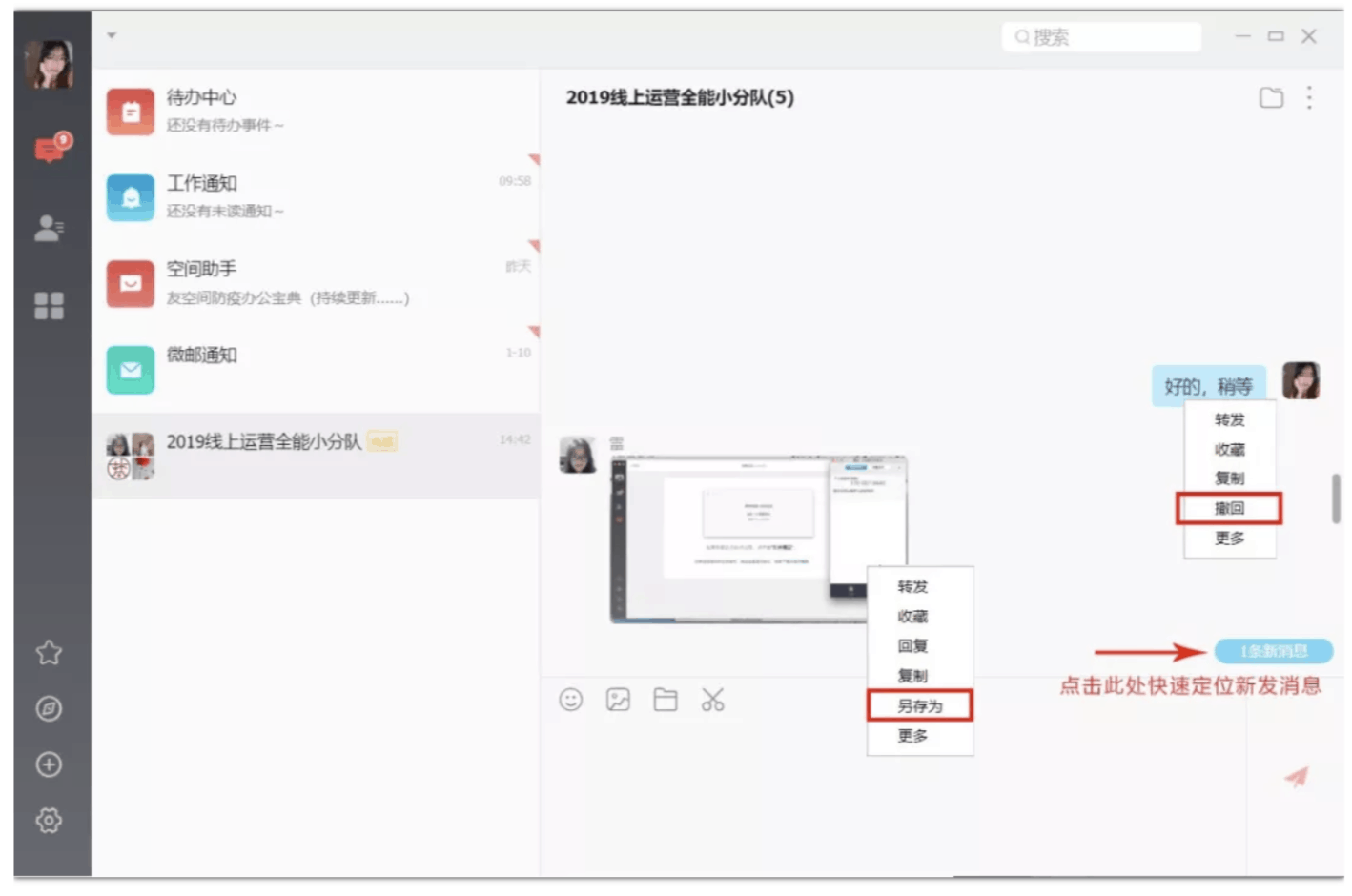
You can recall messages you send; you can save chat images; when someone sends a new message from the top of the chat interface, you can quickly locate the current chat content by clicking the blue notification box in the lower right corner.
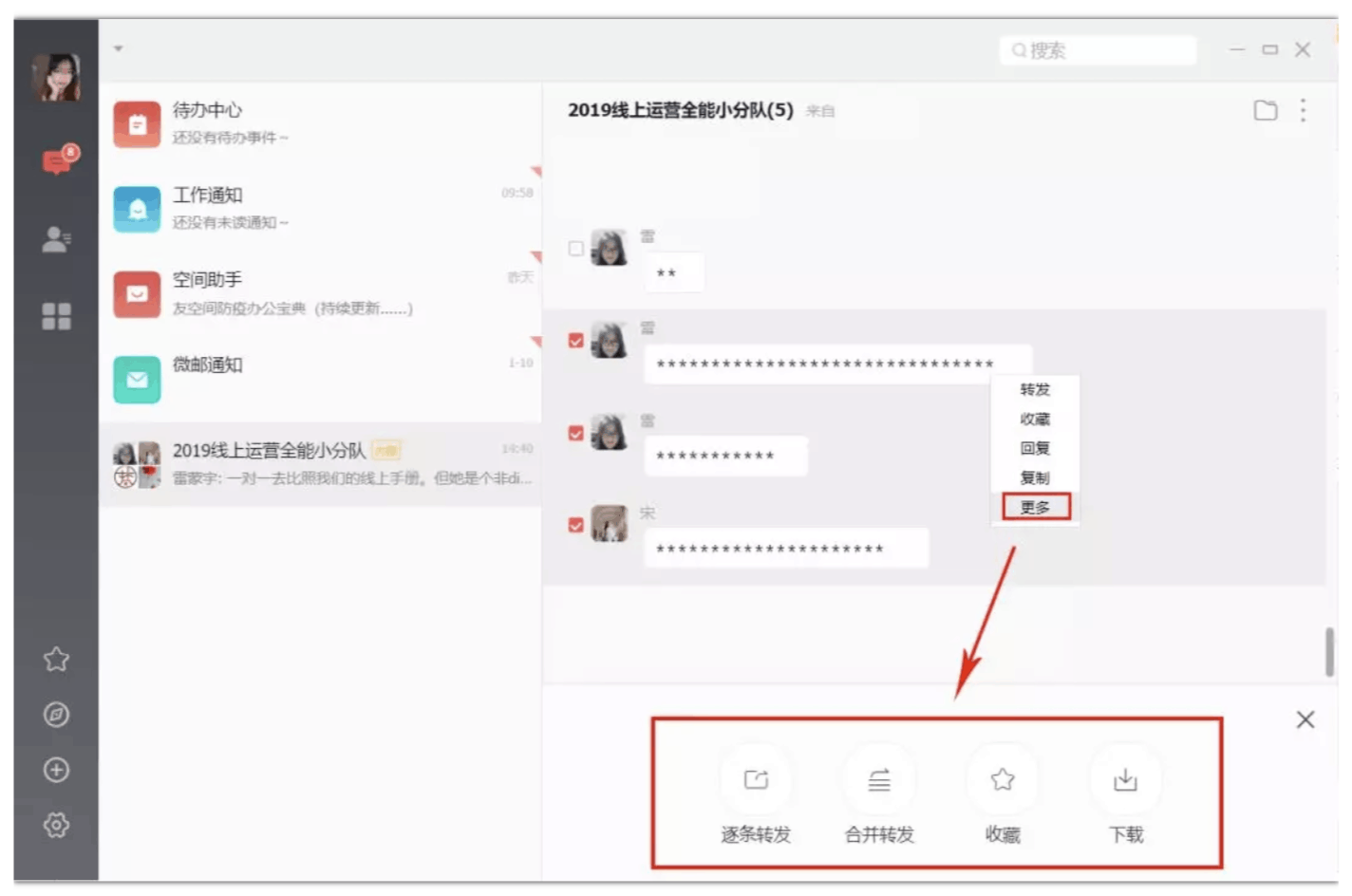
Right-click on a chat message and click “More” to forward multiple messages to other chat groups.
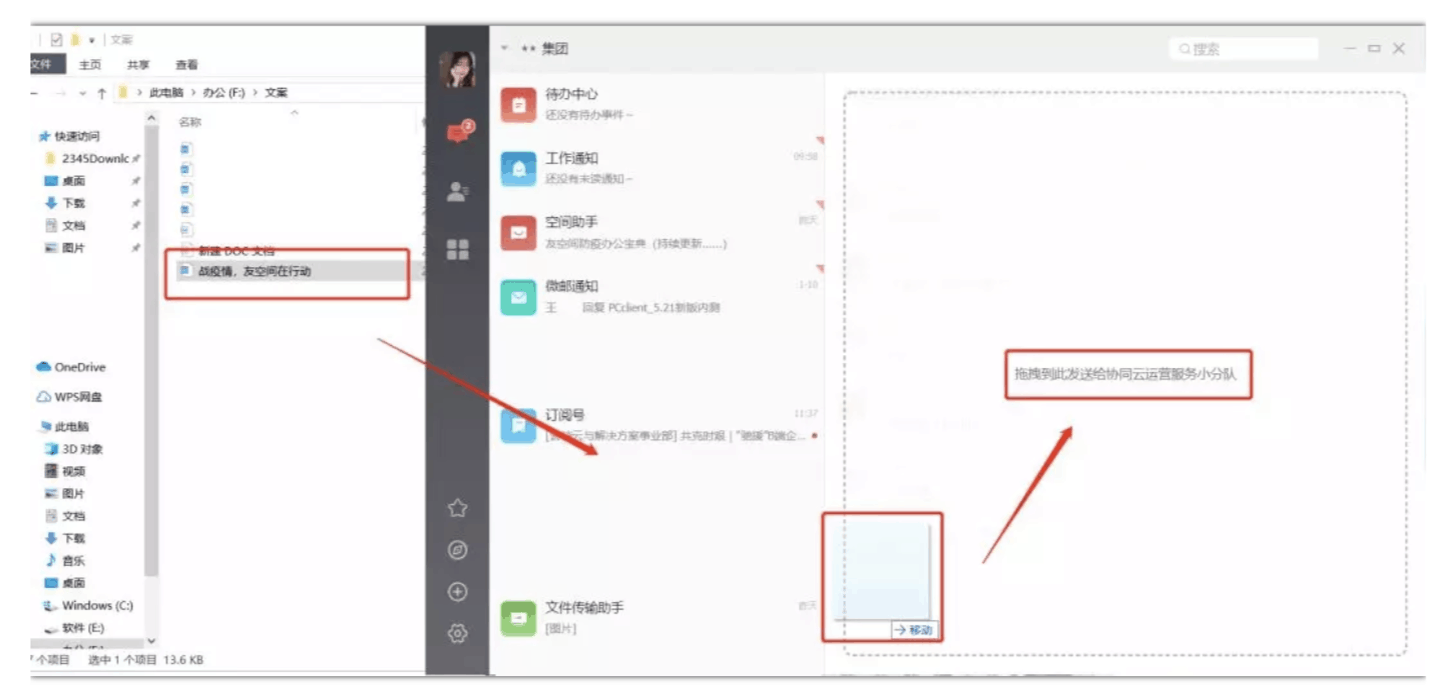
Files on your computer desktop can be directly dragged and dropped to the chat interface, which is convenient, fast, and easy to use.
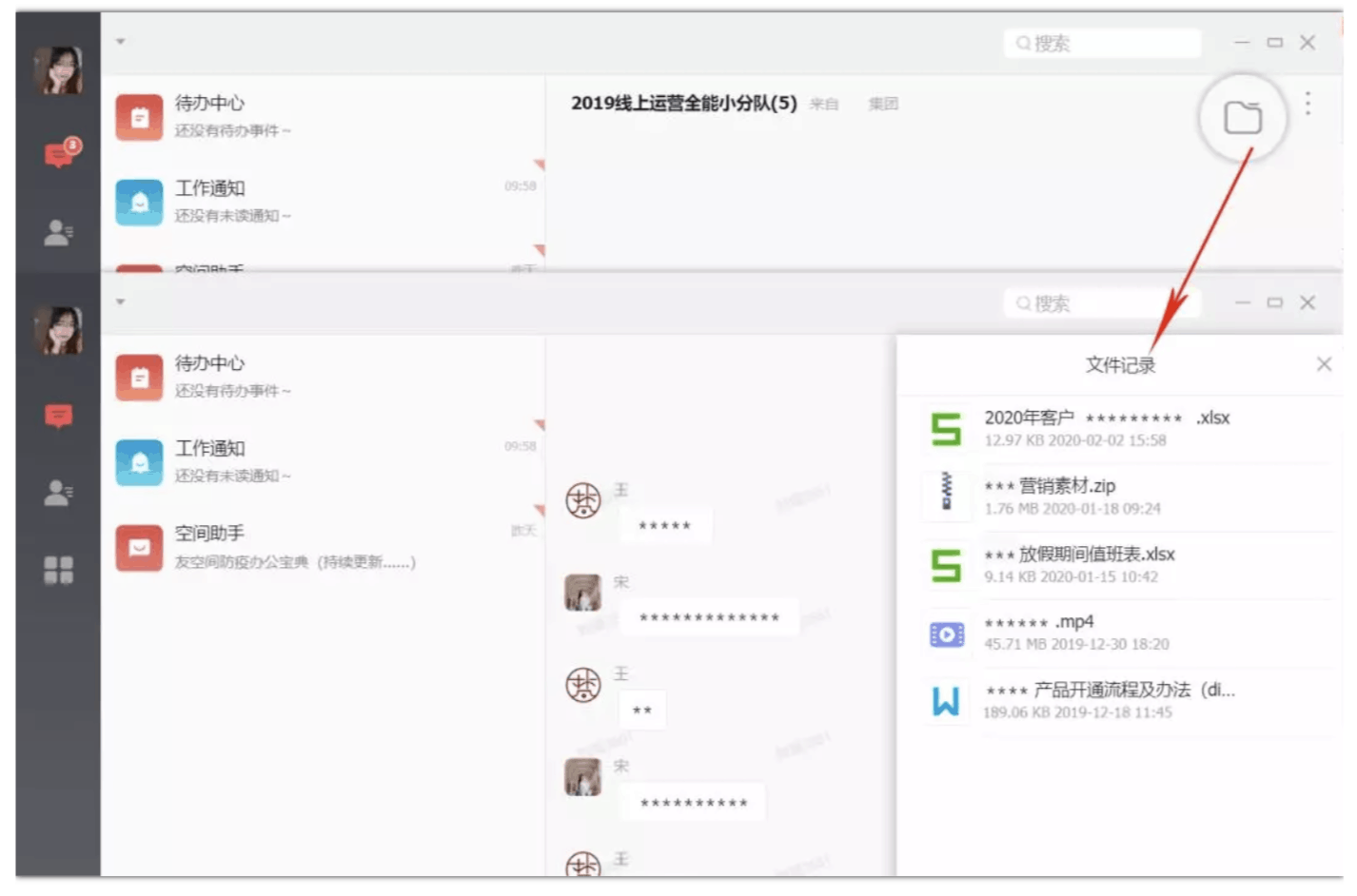
Click the “Folder” icon in the upper right corner of the chat interface to easily find chat files, which are then permanently saved and never lost. A chat watermark is displayed for enhanced security.
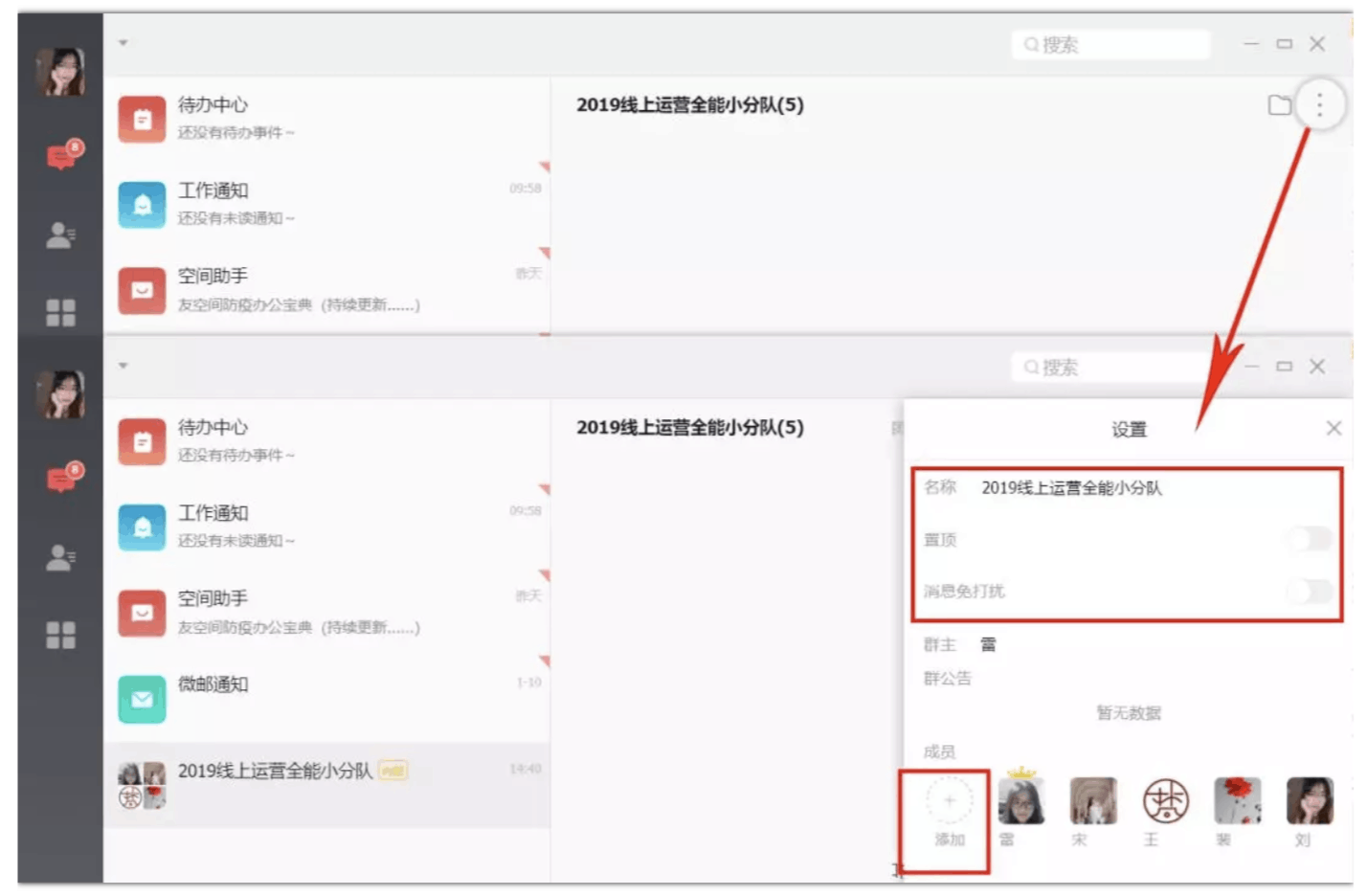
Click “More” in the upper right corner of the chat interface to set basic chat information. To add people to a group chat, click “Add”. To create a group chat, click “Add”.
2. Aggregate all business messages and process them with a single click on the desktop.
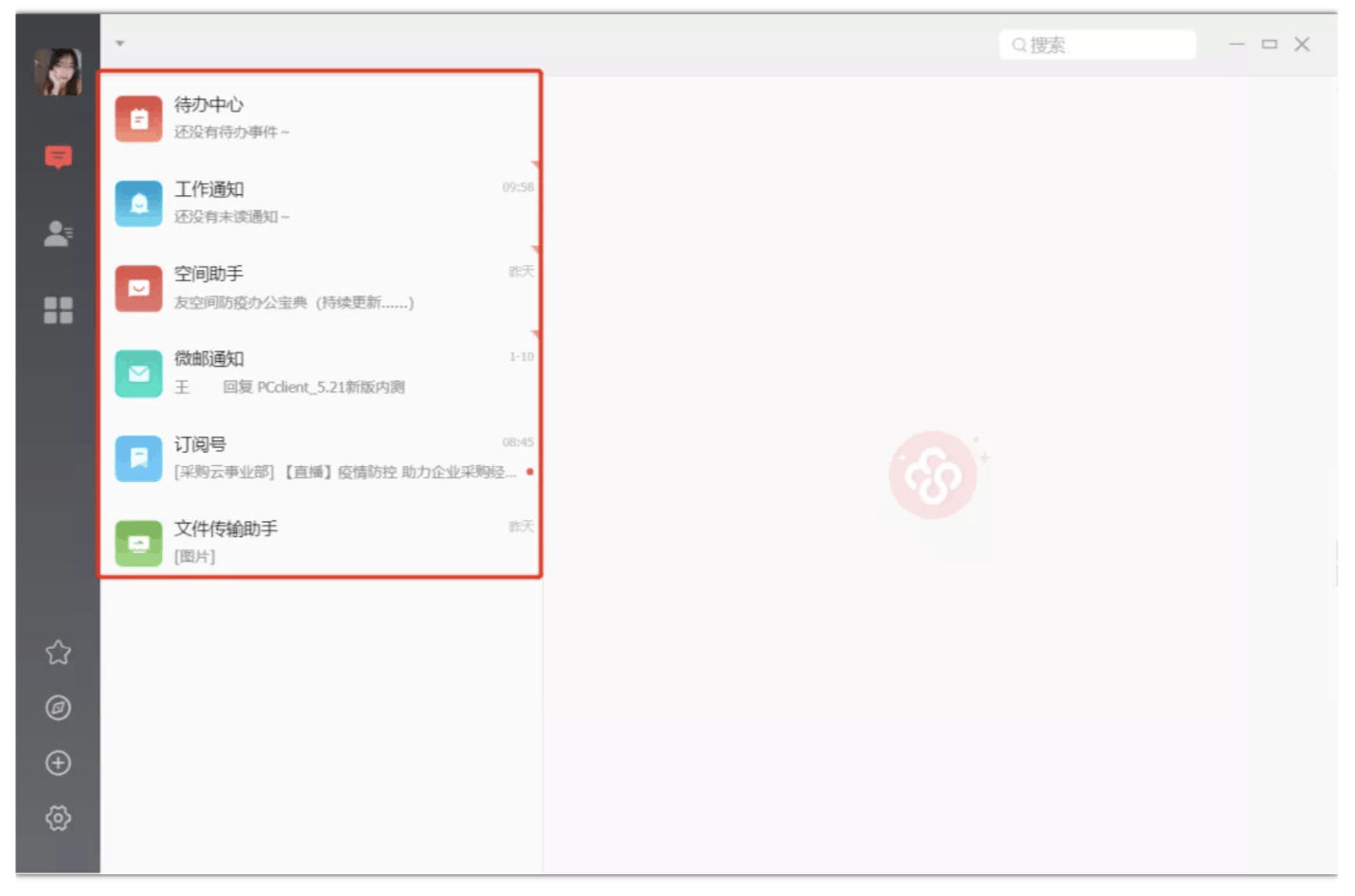
- To-Do Center + Work Notifications + WeChat Email Notifications: Real-time response to office messages, ensuring no task is missed.
- Space Assistant + Subscription Accounts: Quick browsing of company culture information.
- File Transfer Assistant: File transfer between mobile and PC, enabling multi-device file transfer.
3. Initiate a remote video conference with one click and share your desktop.
Click the application to quickly start a video conference. Enjoy high-definition visuals, a smooth experience, and support for features such as screen sharing and group discussions. Remote video conferencing will no longer be a problem!
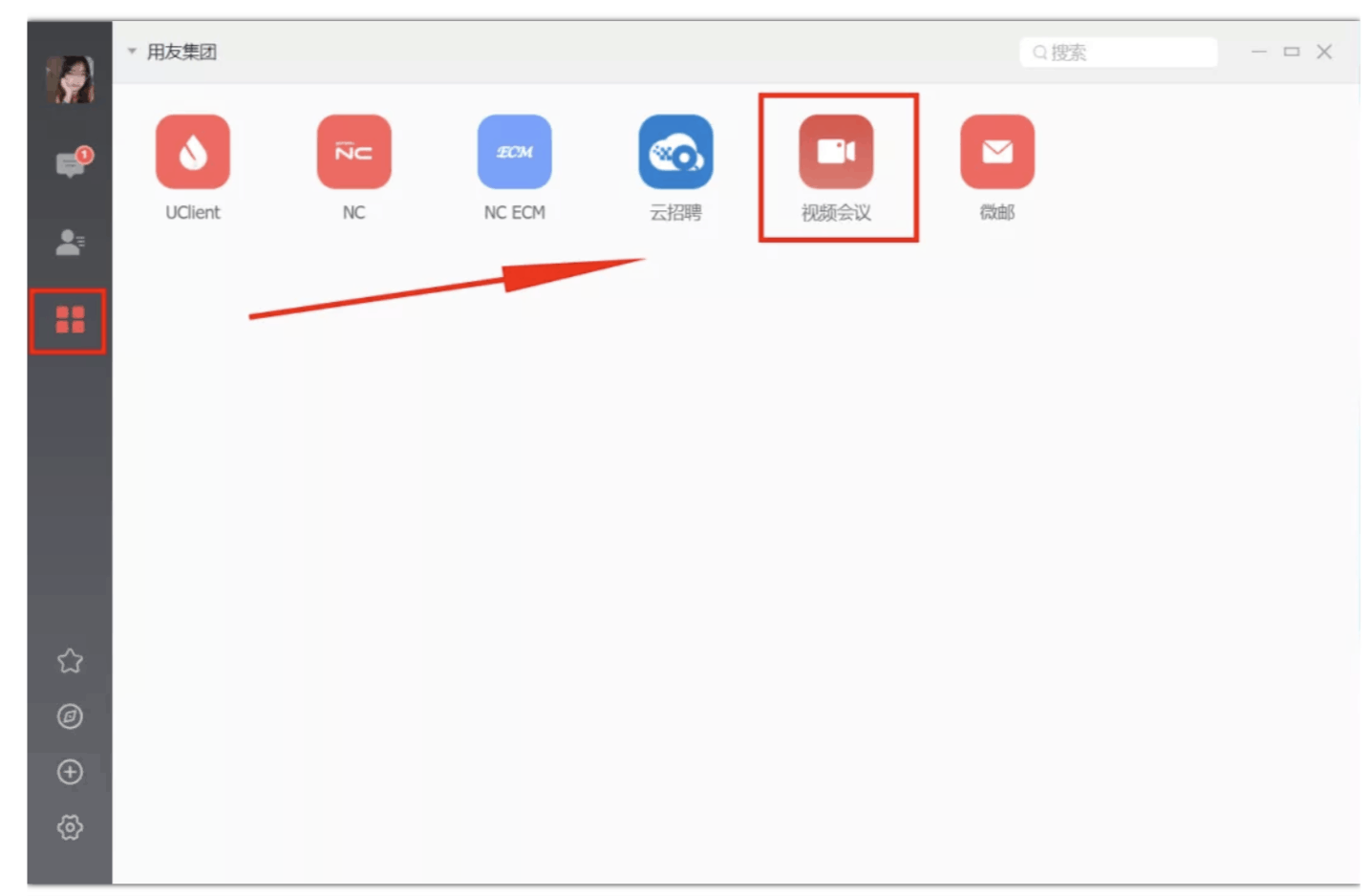
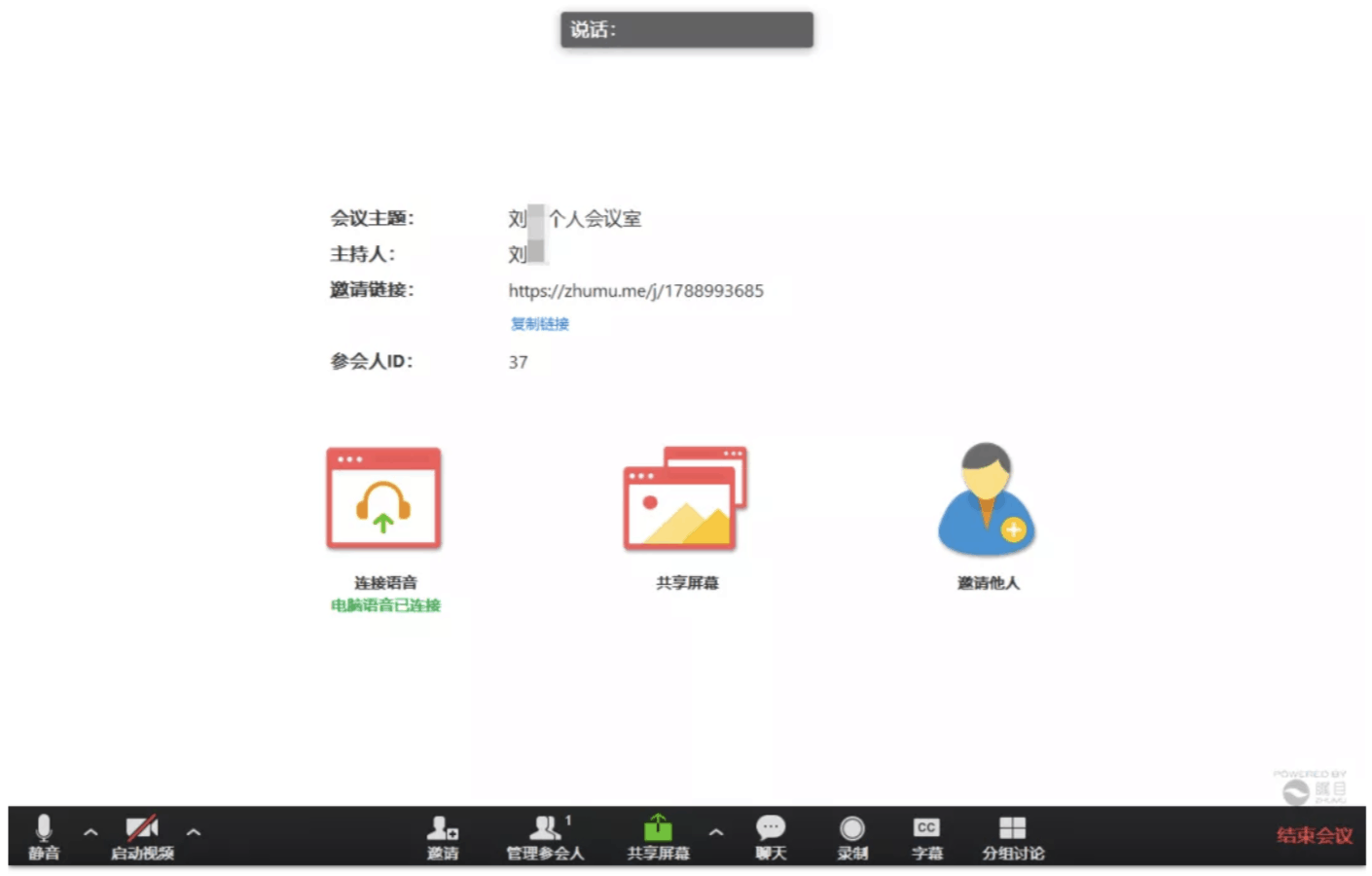
4. Interoperable with the web version, one-click conversion to webpage.
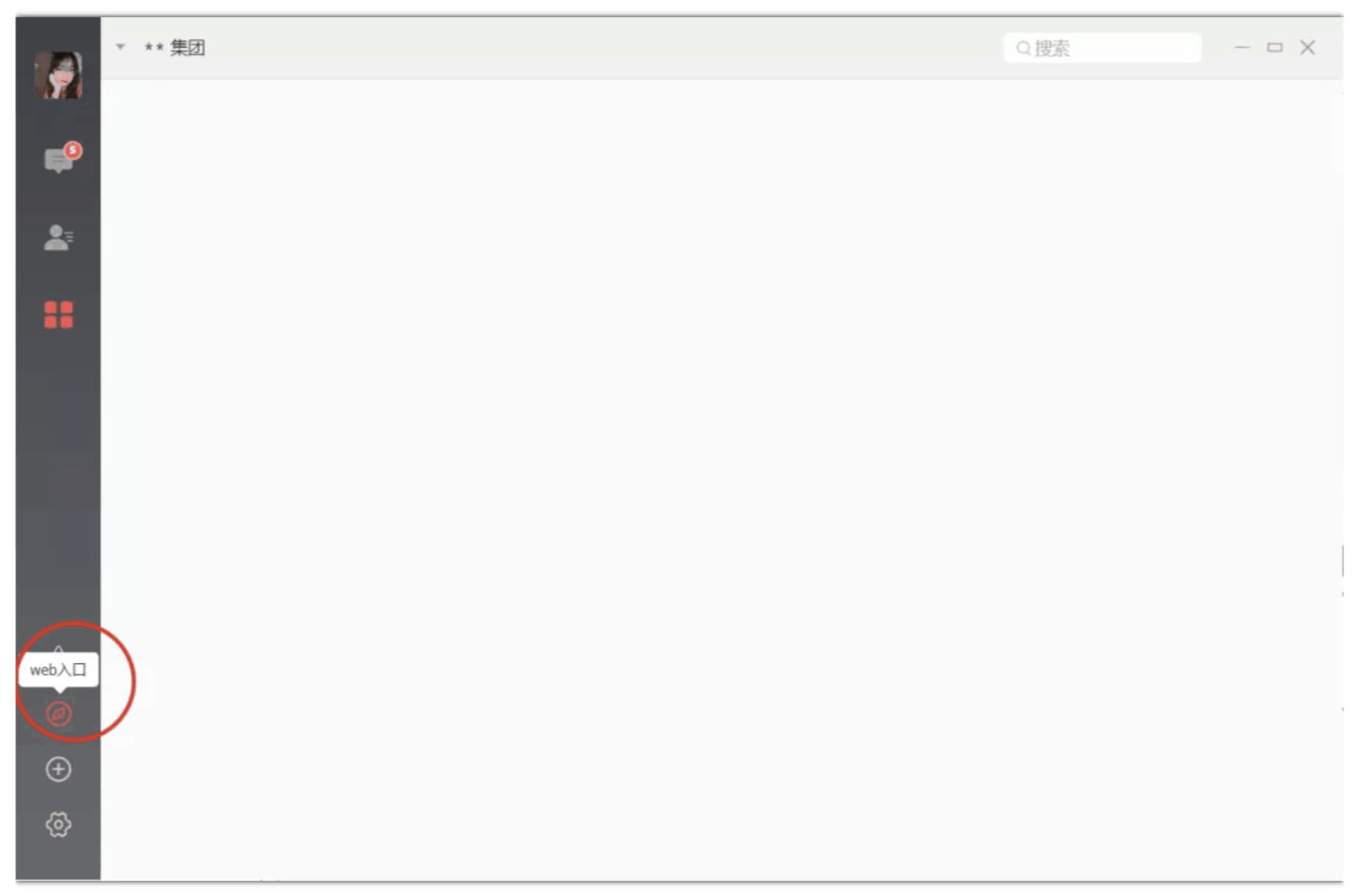
The desktop version provides a quick access to the web version; no need to open a browser and enter the URL, just a simple click will automatically take you to the YouSpace webpage.
Download the Youkongjian desktop client for even more remote work features. Welcome to experience it!
Download methods: Search for “Youkongjian” in your computer browser and click on the official website to download.
Or directly visit the website:
https://ec.diwork.com/html/index/down.html and select to download “Youkongjian Desktop”.